


RuneManga vs Torii Image Translator compared
Torii and RuneManga side by side: extension, web app, editor, colorizer, pricing and what happens to your pages. Facts checked October 2026.
Short answer
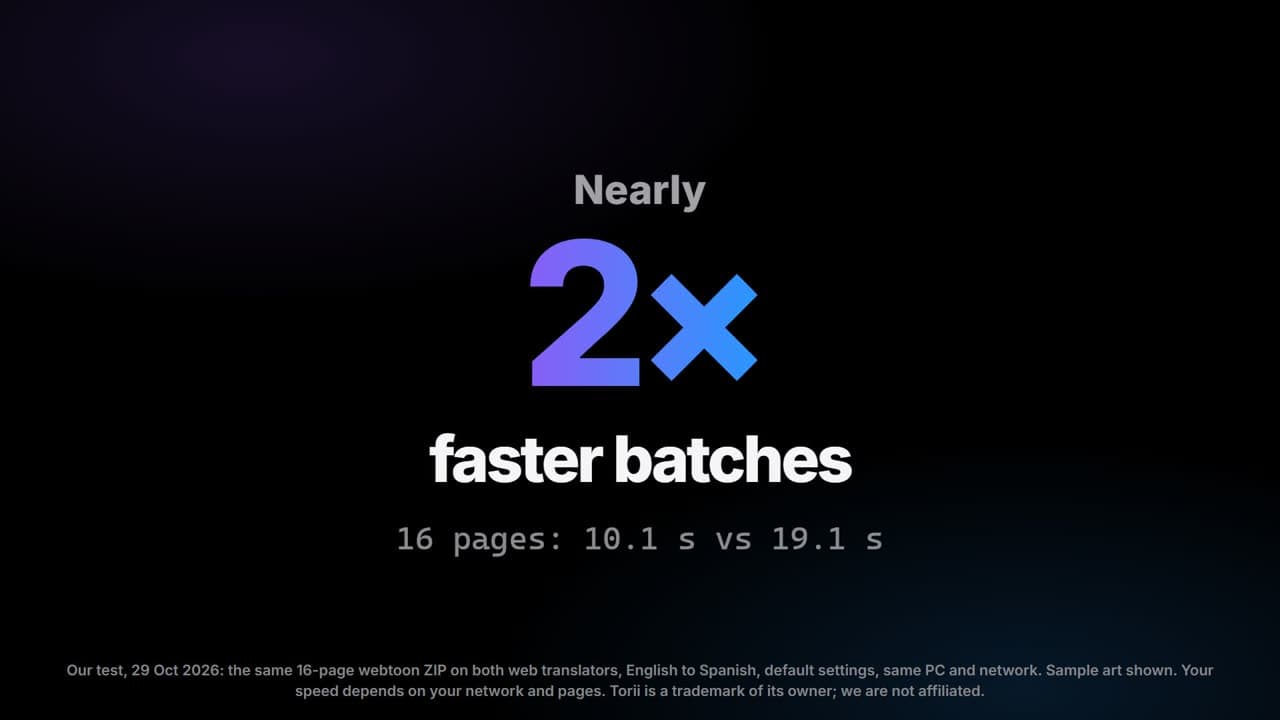
Torii is the broader tool today: an extension for every major browser including Safari, a web app with projects, an editor with an AI cleaning brush and a colorizer, paid with credit packs. RuneManga covers the same ground for most readers: the WebApp (images, ZIP, CBZ or PDF in, pages, ZIP or PDF out), an extension in the Chrome Web Store and Edge Add-ons, and Edit mode in both, with a $0 Free plan, daily free credits and deletion about an hour after each job; its colorizer is still in development. In our own tests, RuneManga finished whole batches about 2x faster (how we measured is below).
| Feature | RuneManga | Torii Image Translator |
|---|---|---|
| WebApp upload | Yes. Add images, a folder, a ZIP, a CBZ or a PDF (50 to 500 pages at once depending on the plan, 20 MB each), correct the result in Edit mode, and download single pages, a ZIP or one PDF. | Yes. The WebApp takes images, ZIPs and PDFs and works in mobile browsers. |
| Browser extension | Yes, in the Chrome Web Store (Chrome, Brave, Opera) and Edge Add-ons; a Firefox version is in review. It translates pages right on the sites you read: an R button per page, Auto mode while you scroll, show original, Translate an area, Edit image and a ZIP of the page's translations. | Yes: Chrome (and Edge, Brave, Opera), Firefox on desktop and Android, and Safari on Mac, iPad and iPhone. You point at an image on the page and click to translate it. |
| Languages | From Japanese, Korean, Chinese, English and six more languages (or auto-detect) into 89 languages, including English, Spanish, Portuguese, Turkish and French. Arabic and Thai output is experimental. | More than 140 languages according to Torii, with source detection and vertical Japanese. |
| Bubble-aware typesetting | Yes. Lettering in speech bubbles, caption boxes and text on the art is erased, the background filled in and the translation fitted in its place. Sound effects stay as drawn. Edit mode, in the WebApp and the extension, lets you move, restyle and rewrite the text. | Yes. AI inpainting removes the lettering and the translation is set inside each bubble, sized to fit, with an editor for fonts, position and effects. |
| Colorize | SoonPlanned, not available yet. The colorizer is in development. | Yes, an AI colorizer in the WebApp, per page or per chapter. |
| Translation engine | RuneLingua, our own AI translator for manga dialogue, on every plan, Free included. A few languages it does not cover well yet use another translation service. You can also connect your own AI key (OpenAI, Anthropic, Google Gemini, DeepSeek, xAI or OpenRouter). | A choice of AI models such as Gemini, GPT, Claude, DeepSeek and Grok, with custom prompts and glossaries, or your own API key. |
| Pricing | Credits, 1 per page. Free at $0: 20 credits a day, claimed on the site, plus 30 once at sign-up that never expire. Supporter ($2.99, 1,000 a month), Pro ($4.99, 2,500) and Ultimate ($9.99, 5,000) are on sale now, with packs of 1,000, 2,500 or 6,000 credits that never expire. | Credit packs, no subscription, credits do not expire. The smallest listed pack is 2,500 credits for $5.99; a page costs one scanning credit plus a translation cost that depends on the amount of text. |
| Privacy and retention | Pages are processed on RuneManga's servers; only the text found on the page goes to the translation engine. Jobs are deleted about an hour after they finish and are not used for training. | Images are processed in memory; some may be kept for a while in Google Cloud Storage for debugging, with no fixed period stated. Extracted text goes to the chosen AI provider. |
| Sign-up needed | Yes for the WebApp: a free sign-in with Google, Discord or an emailed link, no card. | Yes for the free credits and the WebApp (no card needed). The editor can be tried without an account. |
When RuneManga is the better fit
- You want to translate a chapter in the WebApp with a free account and the free daily credits, without buying anything.
- You want a fixed, short retention: uploads and results are deleted about an hour after the job.
- You read Japanese, Korean, Chinese, English or another of the ten languages RuneManga reads, into one of the 89 it offers, and want whole chapters done fast.
When Torii is the better fit
- You need the extension on Safari or Firefox, including Firefox for Android.
- You want to clean leftovers with an AI brush in the editor. Both editors move, restyle and rewrite the text; RuneManga's cleans only in the browser for now.
- You want to choose the AI model, add a glossary, or translate into a language RuneManga does not offer.
- You want colorized pages now. RuneManga's colorizer is still in development.
Speed in our tests
We timed both tools three times. Each test measures something different, and not every result goes our way.
- A long chapter (28 October 2026): the same ZIP of 192 pages, started at the same time in the RuneManga WebApp and in Torii's browser extension. RuneManga finished all 192 pages in about 1 minute; by then Torii had reached about page 90.
- A batch on both websites (29 October 2026): the same ZIP of 16 pages, English to Spanish. RuneManga finished all 16 in about 10 seconds and Torii in about 19, so RuneManga was about 2x faster. Torii showed its first page a little sooner.
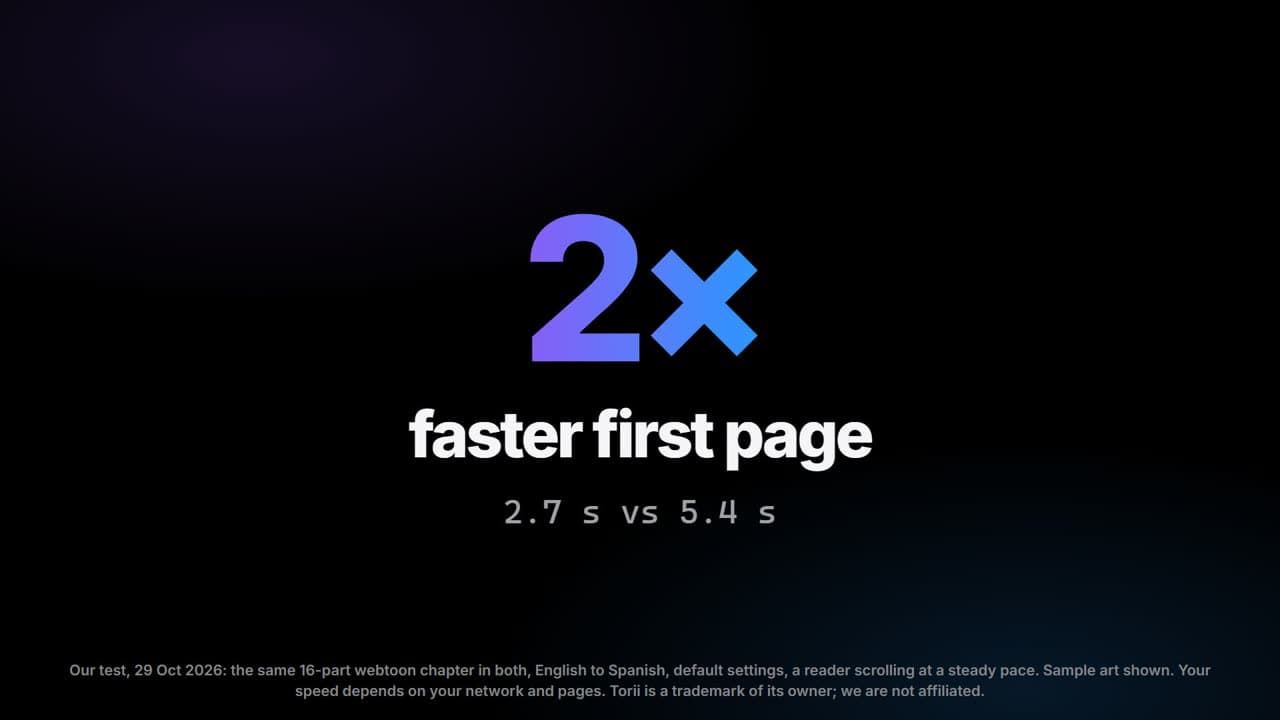
- Reading with both extensions (29 October 2026): the same 16-part webtoon chapter, read at a steady pace. RuneManga showed the first translated page in about 2.7 seconds and Torii in about 5.4, about 2x faster. Torii finished the whole chapter sooner in that test.
How we measured: the same pages in both tools, default settings, the same PC and network, timed from the start until each page was done. These are single tests, not a benchmark: speed varies with page size, your network, server load and your plan.
Questions
Which one is cheaper?
RuneManga's Free plan costs nothing: every account claims 20 credits a day and new accounts get 30 once; its paid plans and credit packs are on sale now, from $2.99. Torii charges per page in credits after the free sign-up credits, so the cost depends on how much you translate.
Which one is faster?
In our tests, RuneManga finished whole batches about 2x faster: 192 pages in about 1 minute while Torii reached about page 90, and 16 pages in about 10 seconds against 19. With both extensions, RuneManga showed the first page about 2x sooner, but Torii finished that chapter first. Speed varies with page size, network, server load and plan, so try a chapter yourself.
Do both erase the original text?
Yes. Both remove the lettering and set the translation inside the bubble, and both have an editor to correct the result by hand.
Can I use both?
Yes. They do not conflict: you could read with one and edit pages with the other.
Sources
Facts checked on October 29, 2026 from each tool's own pages and store listings. Something out of date? Write to [email protected].