


How to translate manga online, step by step
Upload pages, pick a language and download the translated chapter. Free with a Google, Discord or email sign-in; pages are deleted an hour later.
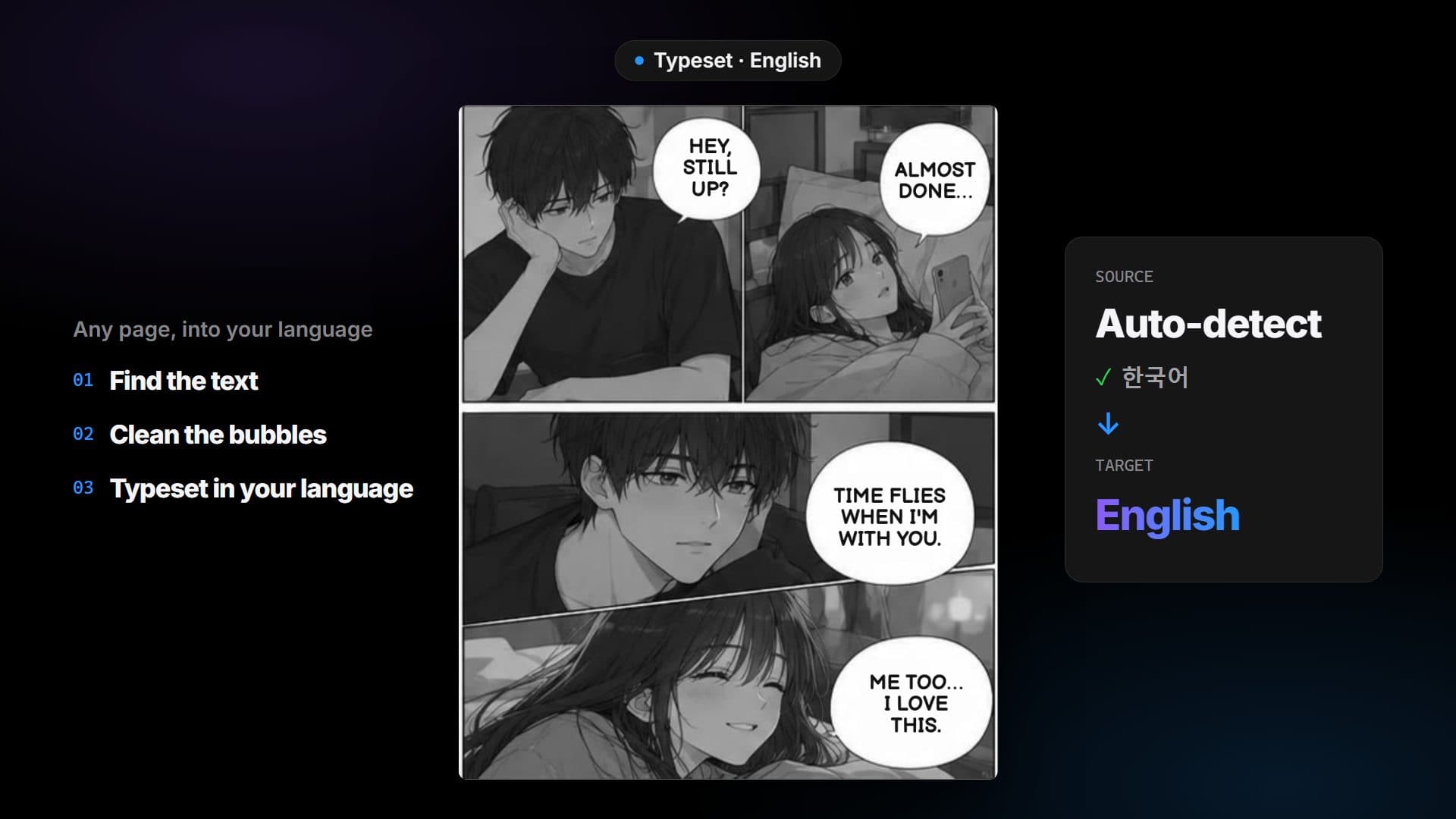
To translate manga online with RuneManga you add the pages, choose the languages and press one button. The text is found on each page, translated, and set back into the speech bubbles after the old lettering is erased and the background filled in. It works on black-and-white manga and on colored pages.
Use RuneManga only on pages you have the right to process, such as your own work, licensed work or material you may read for personal use.
Before you start
- Pages as images (PNG, JPG, WebP, GIF, AVIF), a ZIP or CBZ of images, or a PDF.
- A free account: sign in with Google, Discord or with a link we email you.
- Up to 50 pages at once on Free, 100 on Supporter, 200 on Pro and 500 on Ultimate, and 20 MB per page.
Step by step
- Open the WebApp and add your pages: choose files or a folder, drop them onto the box, or paste an image with Ctrl+V.
- Choose Translate as the mode. Colorize and Translate + colorize are planned, not available yet.
- Under Original language, pick the language of the pages, or leave Auto-detect. Under Translate into, pick the language you want to read.
- Press the button and watch the page-by-page progress.
- Switch between Original and Result to check each page, then download one page or the whole chapter as a ZIP.
What you get
Each page comes back as an image with the lettering replaced by your language. The old text is erased and the background filled in rather than covered with a white box. The fill is simple today, so busy screentone can show where the text was.
Which languages
From Japanese, Korean, Simplified or Traditional Chinese, English, Spanish, French, Portuguese, Indonesian, Vietnamese or Thai (or auto-detect) into English, Turkish, Spanish, Portuguese, French, German, Russian, Indonesian or Vietnamese. Arabic and Thai are experimental: their lettering is not verified yet.
If something looks wrong
- Set the source language instead of Auto-detect.
- Use the largest, cleanest scan you have.
- Re-run only the page that looks off.
Privacy in one line
Pages are processed on our servers and GPU workers, only the text goes to the translation provider, and uploads and results are deleted automatically about an hour after the job finishes.
Questions
Do I need an account?
Yes, a free one. Sign in with Google, Discord or with a link we email you, then open the WebApp and translate.
How many pages can I send at once?
Up to 50 pages at once on Free, 100 on Supporter, 200 on Pro and 500 on Ultimate, each up to 20 MB. On Free, split a longer chapter into two jobs.
How long are my pages kept?
Uploads and results are deleted automatically about an hour after the job finishes, so download what you need first.
Can I translate a CBZ or PDF file?
Yes. Add it like any other file: a CBZ opens like a ZIP, and a PDF is split into its pages in your browser.