


Browser extension ·
Manga translator extension for Chrome, Edge and Firefox
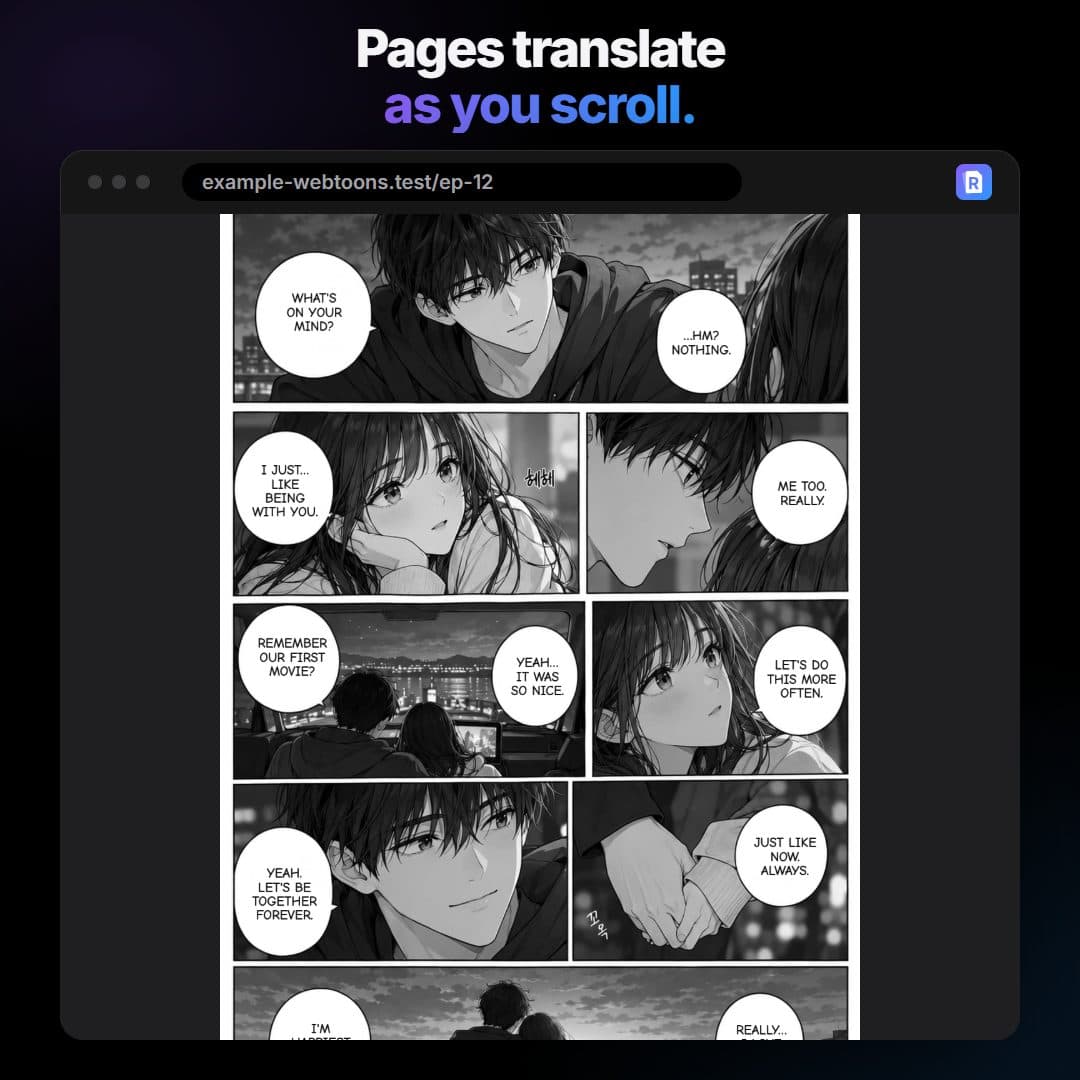
RuneManga translates manga, manhwa and webtoons right on the page you are reading. Click a page, or turn on Auto, and the translation is lettered into the speech bubbles as you scroll.
Works in Chrome, Edge, Opera, Brave and Firefox, from the Chrome Web Store, Edge Add-ons and Firefox Add-ons.
How it works
- Add RuneManga to your browser and sign in once with Google, Discord or an emailed link.
- Pick the language you read in the extension's popup. The original language is detected by itself.
- Open a chapter on the reader you use. RuneManga's R button shows up on the pages.
- Click the R button to translate that page, or turn on Auto and the pages translate by themselves as you scroll.
- Press and hold a translated page to see the original, or switch back with one click.
What the extension does
- Finds the speech bubbles, captions and text on the art, reads it (OCR) and translates it with RuneLingua, RuneManga's own AI translator for manga and manhwa.
- Erases the original text, redraws the background under it and letters the translation in a matching size, colour and style.
- Leaves sound effects alone, so the art keeps its energy.
- Handles long webtoon strips, black-and-white manga and full-colour manhwa.
- Translate an area: draw a box around any part of a page to translate just that, even on readers that protect their pages.
- Edit image: change or add text, erase or paint over the art, then download the page.
Languages
The extension reads Japanese, Korean, Chinese (Simplified and Traditional), English, Spanish, French, Portuguese, Indonesian, Vietnamese and Thai, or detects the language by itself. It translates into 93 languages. Arabic and Thai results are still experimental.
Translation follows your scrolling
With Auto on, RuneManga does not push a whole chapter through at once. The pages near your position go first and the zone moves with you, so the first pages come back fast and the servers stay quick for everyone.
What it sends, and what it does not
- Only the page images you translate go to RuneManga's translation server. They are deleted about an hour after the job finishes.
- Nothing is sent until you click a page, use Translate an area or turn Auto on for a site.
- No browsing history or page addresses are collected, and your history of translated pages stays in your browser.
Free to start
Sign in once and get 30 free credits, plus free credits you can claim every day on runemanga.com. One credit translates one page. Plans and credit packs are there when you want more.
Extension or WebApp
Use the extension to read online, on the sites you already use. Use the WebApp when you have the pages as files, such as a ZIP, CBZ or PDF, or want a whole chapter to download.
Questions
Is the manga translator extension free?
Yes, to start: a free account gets 30 credits, and you can claim free credits every day on runemanga.com. One credit is one page. Plans and credit packs add more.
Which browsers does it work in?
Chrome, Edge, Opera, Brave and other Chromium-based desktop browsers, and Firefox.
Does it work on every manga site?
It works on readers that show pages as images, including ones that load pages as you scroll. On a reader that protects its pages, use Translate an area instead.
Which languages can it translate into?
93 languages, including English, Spanish, Portuguese, French, German, Russian, Turkish, Indonesian, Vietnamese, Arabic, Thai, Chinese, Japanese and Korean.